LaTeX에서 theorem 새양식 정의하는 법
설명
LaTeX에서 정리, 정의, 보조정리, 명제 등을 작성할 때는 theorem 환경을 사용한다. 이러한 환경은 amsthm 패키지의 \newtheorem 명령어를 이용해 만들 수 있다. 가장 기본적인 형태는 다음과 같다.
\newtheorem{envname}{caption}
여기서 envname은 LaTeX 문서 안에서 사용할 환경의 이름이고, caption은 실제 문서에 랜더링되어 보여질 이름이다. 예를 들어 아래와 같이 작성하면 theorem이라는 환경을 만들 수 있다.
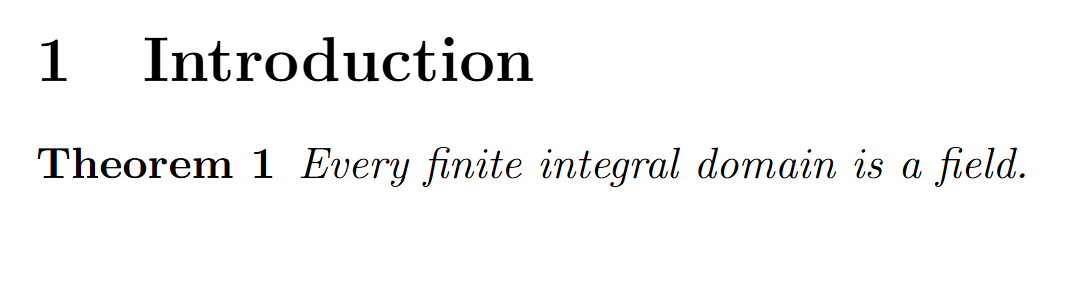
\newtheorem{theorem}{Theorem}
이제 본문에서는 다음과 같이 사용할 수 있다.
\begin{theorem}
Every finite integral domain is a field.
\end{theorem}
출력 결과는 다음과 같다.
코드
정리뿐만 아니라 정의, 보조정리, 명제, 따름정리 등을 따로 만들고 싶다면 다음과 같이 여러 개의 환경을 정의하면 된다.
\newtheorem{theorem}{Theorem}
\newtheorem{definition}{Definition}
\newtheorem{lemma}{Lemma}
\newtheorem{proposition}{Proposition}
\newtheorem{corollary}{Corollary}
사용법은 모두 동일하다.
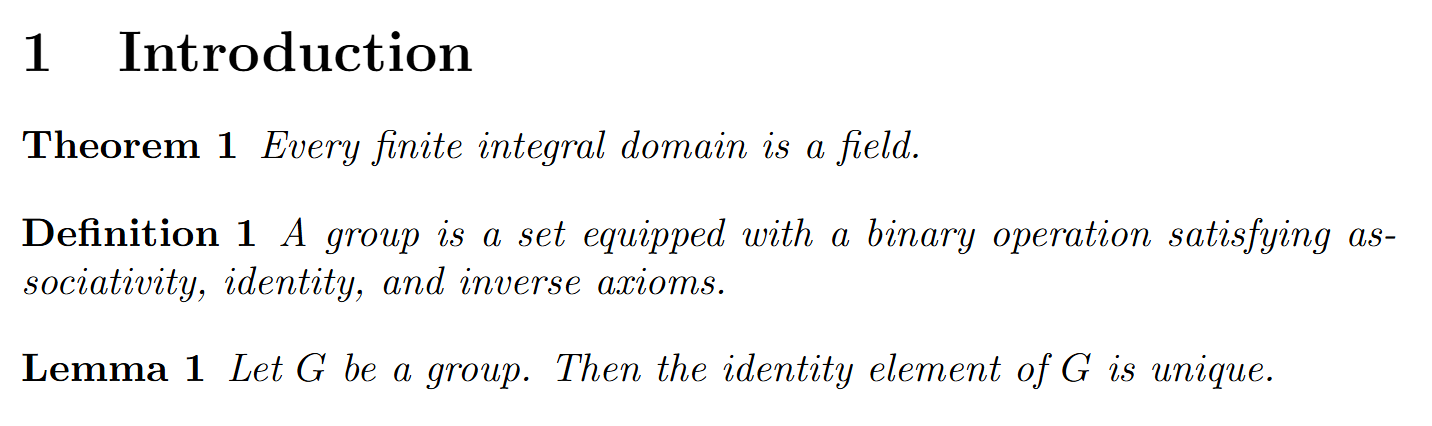
\begin{definition}
A group is a set equipped with a binary operation satisfying associativity, identity, and inverse axioms.
\end{definition}

\begin{lemma}
Let $G$ be a group. Then the identity element of $G$ is unique.
\end{lemma}
번호 공유하기
위와 같이 각각의 환경을 따로 정의하면, 각 환경마다 번호가 따로 붙는다. 예를 들어 Theorem 1, Definition 1, Lemma 1처럼 각각 독립적으로 번호가 매겨진다.
만약 정리, 정의, 보조정리가 하나의 번호 체계를 공유하게 하고 싶다면 아래와 같이 작성한다.
\newtheorem{theorem}{Theorem}
\newtheorem{definition}[theorem]{Definition}
\newtheorem{lemma}[theorem]{Lemma}
\newtheorem{proposition}[theorem]{Proposition}
\newtheorem{corollary}[theorem]{Corollary}
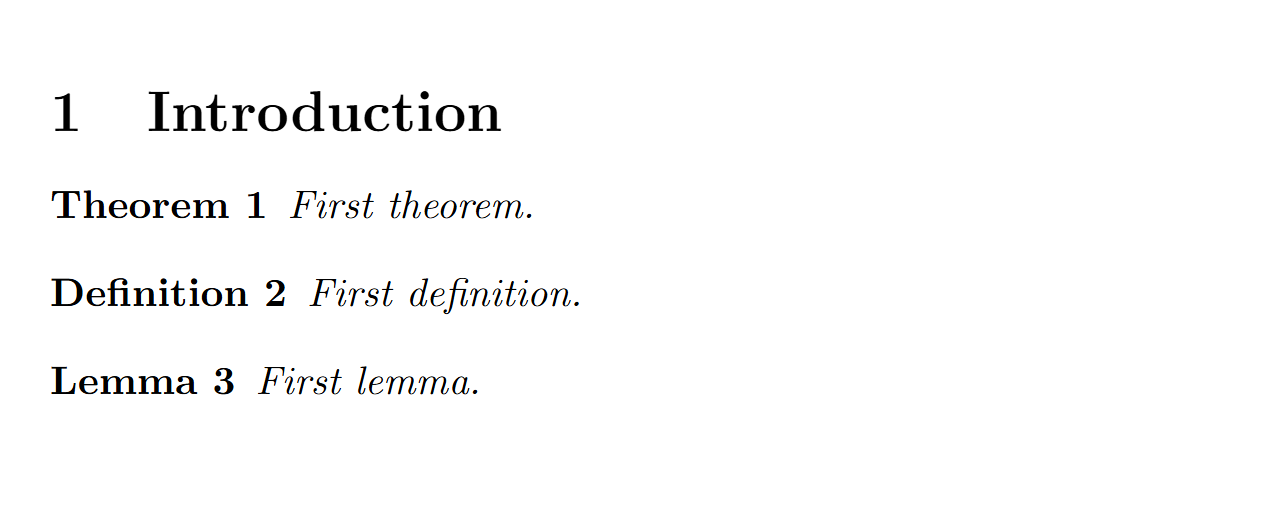
여기서 [theorem]의 의미는 definition 환경이 theorem 환경의 번호 체계를 공유한다는 뜻이다. 예를 들어 아래와 같이 작성하면,
\begin{theorem}
First theorem.
\end{theorem}

\begin{definition}
First definition.
\end{definition}

\begin{lemma}
First lemma.
\end{lemma}
출력은 다음처럼 된다.
섹션 번호에 따라 번호 붙이기
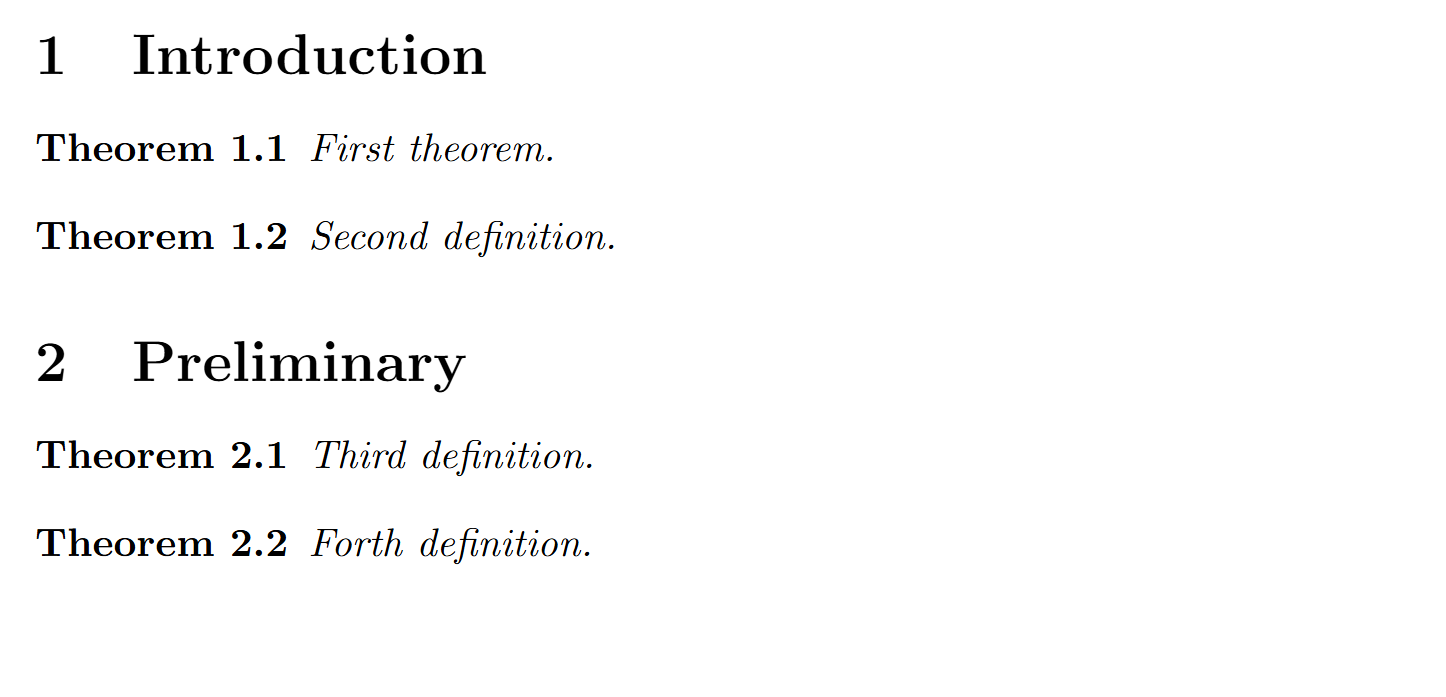
논문이나 책에서는 정리 번호를 섹션 번호와 함께 붙이는 경우가 많다. 예를 들어 Theorem 2.1, Definition 2.2처럼 표시하는 방식이다. 이때는 \newtheorem의 세 번째 인자로 번호 기준을 지정한다. 아래와 같이 두면 정리 번호가 섹션마다 초기화되고, 섹션 번호가 함께 붙는다.
\newtheorem{theorem}{Theorem}[section]
아래와 같이 본문을 작성하면,
\section{Introduction}

\begin{theorem}
First theorem.
\end{theorem}

\begin{theorem}
Second definition.
\end{theorem}

\section{Preliminary}

\begin{theorem}
Third definition.
\end{theorem}

\begin{theorem}
Forth definition.
출력은 다음처럼 된다.