LaTeXにおける定理形式の設定方法
説明
\newtheoremで定理環境を作ると、既定ではタイトルは太字で、本文はイタリック体で出力される。しかし定義や注釈のように、本文が傾かない方が読みやすい環境もある。amsthmパッケージはこのためにあらかじめ定義された三つの形式を提供しており、\theoremstyle命令で選んで使える。
\theoremstyle{stylename}
ここでstylenameにはplain、definition、remarkのいずれかが入る。三つの形式の違いは次のとおりである。
| 形式 | タイトル | 本文 | 主に使う環境 |
|---|---|---|---|
plain | 太字 | イタリック体 | 定理、補題、命題、系 |
definition | 太字 | 直立(ローマン体) | 定義、例、条件 |
remark | イタリック体 | 直立(ローマン体) | 注釈、参考、コメント |
plainは\newtheoremの既定値なので、形式を別途指定しなければplainが適用される。
コード
\theoremstyleは**その後に来る\newtheorem宣言に適用される。**したがって、形式を変えたい環境を定義する前にあらかじめ宣言しておく必要がある。一度宣言すると、次の\theoremstyleが現れるまで有効であり続ける。
\theoremstyle{plain}
\newtheorem{theorem}{Theorem}
\newtheorem{lemma}[theorem]{Lemma}

\theoremstyle{definition}
\newtheorem{definition}[theorem]{Definition}

\theoremstyle{remark}
\newtheorem{remark}[theorem]{Remark}
このようにしておくと、theoremとlemmaはplain形式、definitionはdefinition形式、remarkはremark形式で出力される。本文では次のように使う。
\begin{theorem}
\lipsum[1][1-4]
\end{theorem}

\begin{definition}
\lipsum[1][5-8]
\end{definition}

\begin{remark}
\lipsum[1][9-12]
\end{remark}
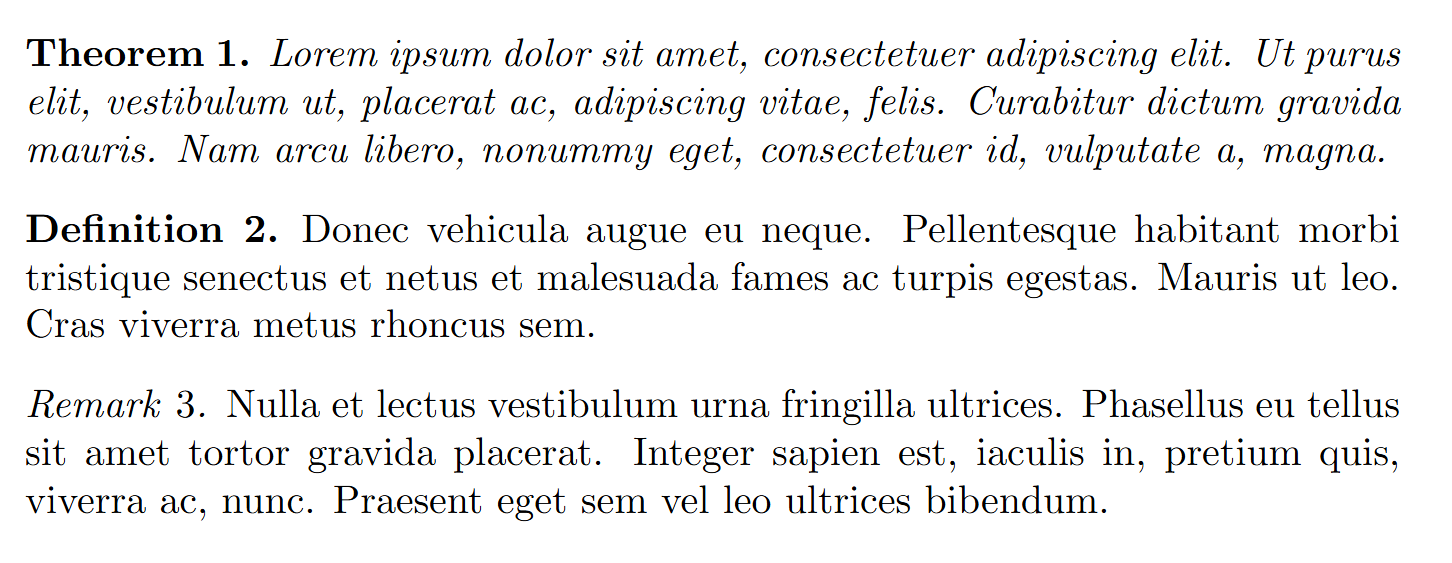
出力結果は次のとおりである。theoremの本文は傾き、definitionとremarkの本文は直立で出力され、remarkのタイトルだけが傾いていることが確認できる。